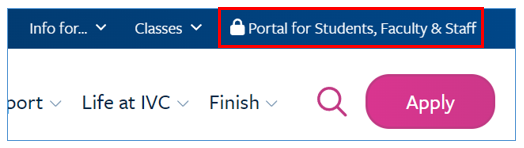
Go to www.ivc.edu > click on the Portal for Students, Faculty & Staff.
Students who have not enrolled in MFA will not be able to access their college accounts off-campus (Application Portal, MySite, Canvas).
General Information and Frequently Asked Questions »
Video Instructions on Setting Up MFA on Mobile Device »
Go to www.ivc.edu > click on the Portal for Students, Faculty & Staff.
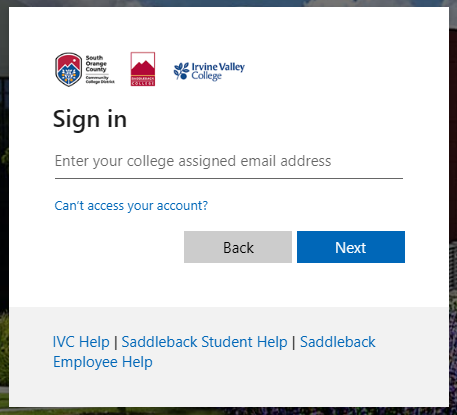
Log in with your full IVC email address and click Next.
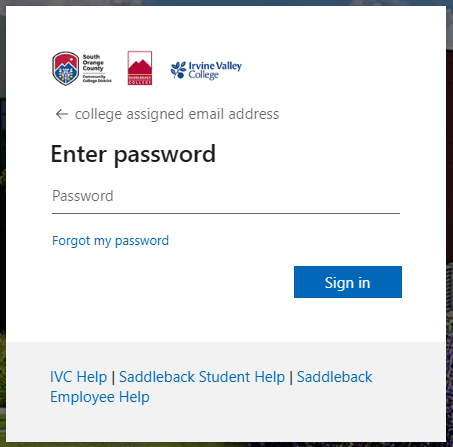
Enter your college password and click Sign in.
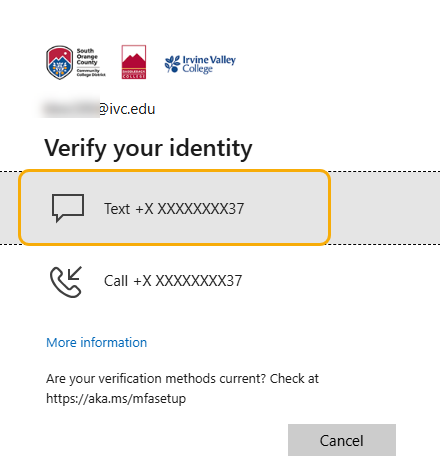
Select Text as your verification method.
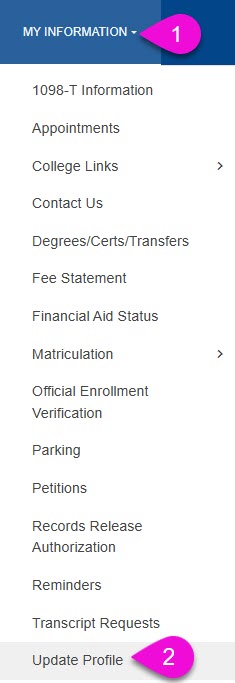
Log into MySite. Go to “My Information” and scroll down to “Update Profile.”
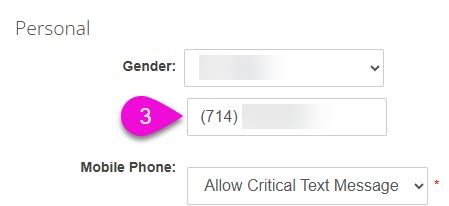
Under the section titled, “Personal” enter your mobile phone number.
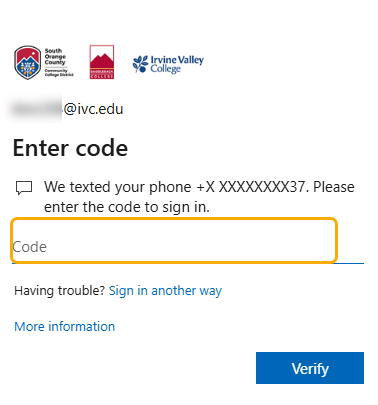
Enter the verification code and click Verify.
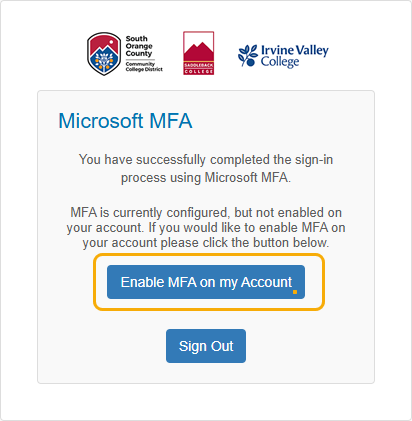
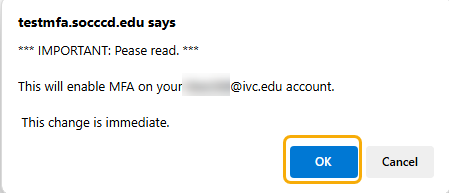
Select Enable MFA on my Account.
Click OK.
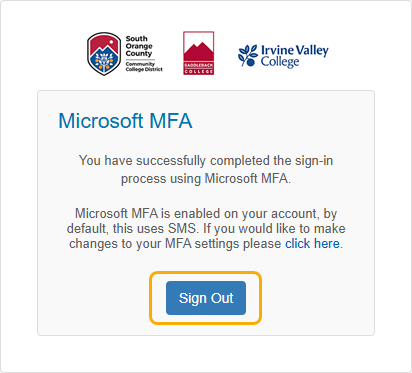
Click Sign Out
If you encounter any issues during the setup process or have any questions, please contact our IT Help Desk Monday thru Friday: 8am–5pm at 949-451-5696. We are here to assist you in ensuring your account is secure.
By implementing MFA, Irvine Valley College is committed to safeguarding your personal information and providing a secure digital environment for all students and staff.
District Multi-Factor Authentication Information and FAQ's
Feel free to reach out if you need further assistance or have any other questions!